
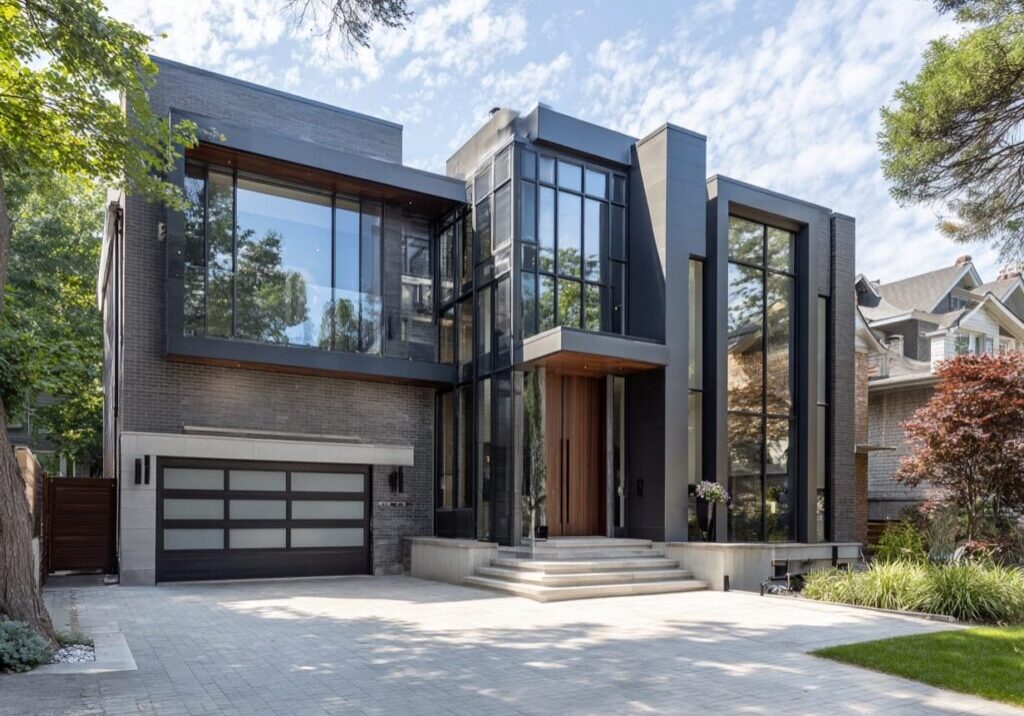
Zoning rules decide what you can build on your Toronto lot: height, setbacks, coverage, parking, and more. The fast path is simple: confirm your zoning on the City map, check the few limits that matter, and sketch an “as‑of‑right” concept before you get attached to details. If you prefer an end‑to‑end partner for zoning checks, BCIN drawings, and permits, work with a custom home builder in Toronto for a cleaner approval path.
What Zoning Controls
Zoning By‑law 569‑2013 sets the rules for what’s allowed on your property. It governs use (what the building can be), built form (how big and where it sits), and site elements such as parking and landscaping. The City provides both the by‑law text and an interactive map so you can see the standards tied to your parcel.
For most custom homes, the key controls are setbacks, maximum height, lot coverage, floor space index (FSI), and parking. Site‑specific exceptions may also apply; when they do, they override parts of the base zoning. That’s why you don’t stop at the zone label—you must check whether Chapter 900 exceptions are listed for your lot.
Quick Reference Table
| Term | What It Means | Why It Matters |
| Zone Label (e.g., RD, RS, RT, RM) | The residential category that sets permissions and standards. | Determines what you can build and which chapters apply. |
| Setbacks | Minimum distances from lot lines. | Drives your footprint and side‑yard widths on narrow lots. |
| Lot Coverage | % of lot area a building may cover. | Limits ground‑floor size; common reason designs shrink. |
| Height | Maximum permitted building height and how it’s measured. | Affects roof form and second‑storey glazing. |
| FSI (if applicable) | Ratio of building floor area to lot area. | Caps overall size even if setbacks allow more. |
| Parking / Driveway | Required spaces and access rules. | Influences the main‑floor plan and landscaping. |
| Site‑Specific Exceptions | Parcel‑level rules that prevail over base zoning. | They can loosen or tighten limits; you must verify them. |
Bottom line: zoning is your guardrail. Confirm the rules first and you’ll avoid redesigns and save months of delay.

How To Look Up Your Lot’s Zoning In 10 Minutes (Step‑By‑Step)
Finding your zoning is straightforward if you follow a sequence. Do this before you commit to massing, windows, or rooflines.
Step 1 – Open The Interactive Zoning Map
Open the City’s Interactive Zoning Map and search your address. Click your parcel to reveal your zone label and quick links to the relevant chapters. Keep the map open; you’ll return to it as you refine dimensions.
Step 2 – Capture Your Zone Label and Any Exceptions
Write down the zone (e.g., RD or RT) and any suffixes or overlays. Then check for site‑specific exceptions (Chapter 900). Exceptions prevail over inconsistent regulations in the base chapters, so don’t skip this step.
Step 3 – Confirm Lot Dimensions from a Current Survey
Zoning is math. You’ll need the exact frontage, depth, area, and grades from a recent survey to test setbacks, lot coverage, and height calculations. If your survey is old or missing, plan to order a new one early; it anchors both zoning checks and later grading plans.
Step 4 – Check “As‑Of‑Right” Limits
Compare your survey to the standards in the by‑law: front, side, and rear setbacks; maximum height; lot coverage; parking; and any special provisions. If you can meet those limits, your design is “as‑of‑right,” which keeps you out of hearings and speeds up permitting.
Step 5 – Decide If a Variance Is Likely
If you can’t meet one or more standards, you may need a minor variance from the Committee of Adjustment. The Committee applies four tests: maintaining the intent of the Official Plan and the Zoning By‑law, appropriateness of the development, and whether the variance is minor. Knowing these early helps you decide whether to redesign or prepare a variance strategy.
“As‑Of‑Right” Vs Variance: How to Stay Out of The Committee of Adjustment
“As‑of‑right” means your design meets all applicable zoning rules without variances. You avoid hearings, neighbor notices, and extra drawings. Most delays happen when projects push height, lot coverage, or side‑yard setbacks beyond what’s permitted, especially on narrow lots.
If a variance is unavoidable, be precise about impact—shadow, privacy, overlook, and parking are common concerns. Design moves like adjusting eave heights, stepping second storeys, and relocating windows can help reduce perceived impact and strengthen your case against the four tests. We’ll advise whether to redesign or proceed to the Committee.
Key Zoning Limits to Check on Toronto Lots
Setbacks and Lot Coverage. Setbacks define the buildable rectangle on your site. Coverage limits how much of the lot your house may occupy at grade. On 7.5–12 m frontages, side‑yard setbacks often pinch floorplans; tight designs benefit from stacked massing and carefully placed projections within permitted limits.
Height and Angular Constraints. Height is measured in specific ways under the by‑law and can limit roof forms. Watch how height interacts with street context and adjacent buildings. Minor tweaks to roof geometry can unlock compliant designs without losing interior volume.
Parking and Access. Driveway widths, front‑yard landscaping, and parking pad rules influence the ground floor and landscape. Confirm whether a front‑yard parking pad is permitted; alternatives include rear parking where lanes exist, or integrated garages designed to meet grade and facade rules.
Site‑Specific Exceptions. Always check Chapter 900. Exceptions can add permissions or impose extra limits and they prevail over inconsistent base sections. When an exception appears on your parcel, read it carefully before finalizing massing.
From Zoning Check to Permit: What Happens Next
For new houses, Toronto treats your permit application as complete only if you include a Zoning Applicable Law Certificate (ZAP). Without a ZAP, the application is incomplete, and no review time frame applies. The City publishes a ZAP fee for new houses (effective January 1, 2025).
Permit Submission And Review Stream. Once drawings align with zoning, you submit online. In the House Stream, complete applications target review within 10 business days; resubmissions and coordination cycles can add time. Planning ahead at zoning is the easiest way to hold this timeline.
Fees And Budgeting. Permit fees use a simple formula: Permit fee = Service Index × Area, plus any applicable unit/administrative charges published by the City. Fees change over time; always verify current rates before you submit.
What We Handle for You (Design‑First, Fewer Detours)
We start with zoning. Our in‑house team confirms your zone and any Chapter 900 exceptions, then shapes an “as‑of‑right” concept to protect schedule and budget. When limits are tight, we model options that reduce variance risk without sacrificing function.
From there, we produce and stamp BCIN permit drawings, coordinate surveyors and engineers, secure your ZAP, and submit your permit set. You’ll have a dedicated project manager, plus a client portal with 24/7 access to daily logs and progress photos.
On site, we operate a fixed‑price contract backed by a 2‑year warranty on materials and labour. We’re proud members of BILD and RenoMark. You focus on decisions; we handle the steps that keep the build moving.
From Zoning to Occupancy: Complete Feasibility, BCIN Drawings, and Fixed-Price Project Delivery
Ready to test what your lot can support? We’ll confirm your zoning and exceptions, shape an as‑of‑right concept, and manage ZAP, permits, and inspections. With BCIN drawings in‑house, a dedicated project manager, and a fixed‑price contract with a 2‑year warranty, Contempo keeps your build moving on schedule. If you’re looking to build a custom home in Toronto, check out our expert team.
Frequently Asked Questions
How Do I Find My Zoning For A Toronto Property?
Use the City’s Interactive Zoning Map. Enter your address, click your parcel, and note your zone label and links to the relevant by‑law sections.
What Do RD/RS/RT/RM Mean?
They’re residential zone symbols defined in Zoning By‑law 569‑2013. Each carries its own standards for massing, setbacks, and in some cases parking and FSI. Confirm the chapter that applies to your specific label.
What’s The Difference Between “As‑Of‑Right” And A Variance?
“As‑of‑right” designs meet all zoning rules. If you can’t meet one or more standards, you apply for a minor variance to the Committee of Adjustment, which uses four tests about intent, appropriateness, and magnitude of change.
Do I Need A Zoning Applicable Law Certificate (ZAP) For A New House?
Yes. The City lists a ZAP for new houses, and applications without a ZAP are considered incomplete, which removes review‑time commitments.
Which Zoning Limits Most Often Force Redesigns?
On infill lots, side‑yard setbacks and lot coverage are common pinch points; height measurement can also constrain roof form. Early checks prevent costly rework.
Where Do I See Site‑Specific Exceptions For My Lot?
When you click your parcel on the City map, look for links to Chapter 900 (Site‑Specific Exceptions). Exceptions prevail over inconsistent base rules, so read them closely.
How Do Zoning Limits Affect Budget And Timeline?
Zoning drives structure, foundation size, and even glazing. Staying “as‑of‑right” avoids hearings and helps you hold the House Stream’s 10‑business‑day review target for complete applications.